
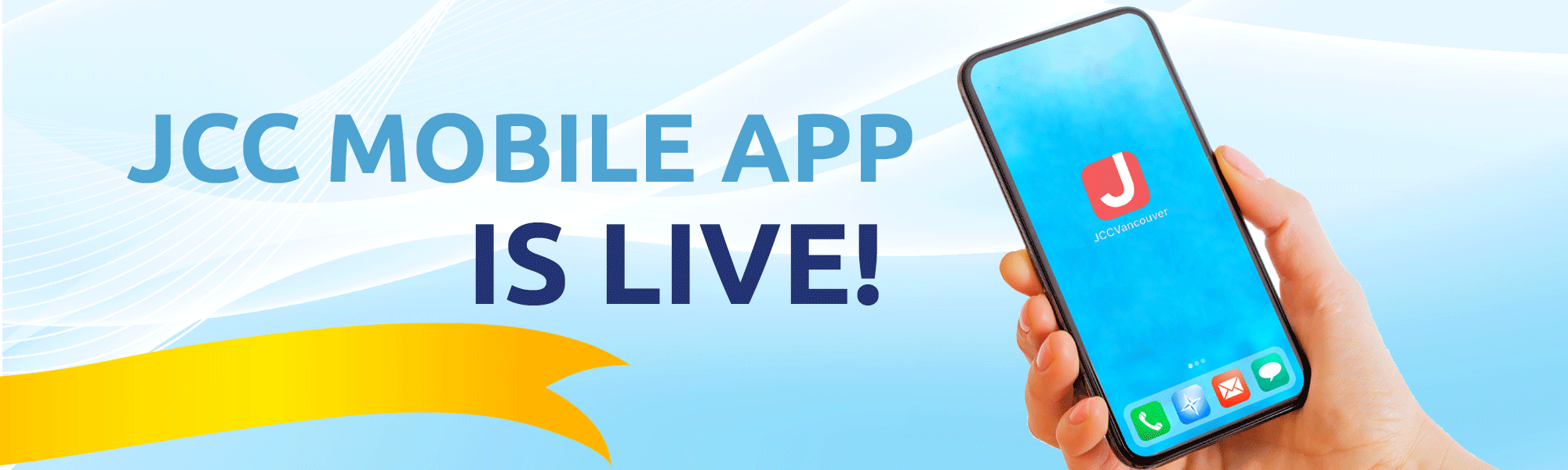
JCC Mobile App
Training & User Tips
Have you tried the new JCC app yet? Now’s the perfect opportunity!
Our staff and volunteers will offer training on how to navigate the app ON YOUR DEVICE and easily book fitness classes, aquatics, and other activities.
Wednesdays: 9:00–10:30am &
12:30–3:30pm
in the JCC Lobby
Register in person at Member & Guest Services or call 604-257-5111.
Book your group fitness classes in seconds:
- Click “Browse” on the bottom bar
- Click “Drop-ins” and all available drop-ins will appear
- Click the “Register” button
- View Cart and check out
Did you know you can also cancel your drop-in on the app?
No need to call in! Your upcoming classes will appear on the home screen.
TO CANCEL:
- Click “Manage”
- Withdraw attendees
- Confirm It’s that easy—explore new classes and manage your schedule right from your phone!


JCC Greater Vancouver
- Download on the App Store
- Get it on Google Play
Your JCC Experience, Now Mobile
We’re excited to introduce a new way to enhance your JCC experience! The JCC Mobile App brings the convenience of Xplor registration right to your fingertips, making it easier than ever to connect with your community.

Register Anywhere
Browse and register for programs from your phone, whether you’re at home, at work, or on the go. No need to wait until you’re at a computer.

Instant Notifications
Stay up to date with real-time alerts about program updates, registration openings, schedule changes, and important announcements.

Before You Download
To use the JCC Mobile App, you’ll need an active Xplor account. If you don’t have one yet, please sign up on our website first.
To use the JCC Mobile App, you’ll need an active Xplor account
If you don’t have one yet, please sign up on our website first. Once your account is set up, you’ll be ready to log in through the app.
JCC Mobile App – Frequently Asked Questions (FAQ)
What registration platforms does JCC Vancouver offer?
JCC Vancouver offers two connected registration platforms:
- JCC Xplor Registration System
Website: https://jccgv.perfectmind.com
Launched: Fall 2025 - JCC Mobile App
Available on iOS and Android
Planned launch: February 1, 2026
What can I do with the JCC Mobile App?
You can:
- View your account and family member profiles
- View purchased memberships
- View upcoming schedules
- Search programs using advanced filters
- Register for programs and drop-ins
- Purchase Personal Training punch pass memberships
What is the difference between the JCC Xplor Registration System and the JCC Mobile App?
- The JCC Xplor Registration System is a web-based platform launched in Fall 2025.
- The JCC Mobile App is a mobile version connected to the same system.
Both platforms:
- Share the same database
- Use the same account
- Automatically sync registrations, schedules, and payments
You may register for programs using either the website or the mobile app.
If you need help using the mobile app, our Member Services team is happy to assist.
Where can I download the JCC Mobile App?
The Xplor app is available for free by searching “JCC Vancouver” in:
- Apple App Store (iOS)
- Google Play Store (Android)
You may also scan the QR code on our website: https://jccgv.perfectmind.com/
What devices are compatible with the JCC Mobile App?
- iOS: iOS 13.0 or later (iPhone 6s and newer)
- Android: Android 8.0 or later
Do I need the mobile app, or can I use a computer?
You may use either:
- The mobile app on your phone or tablet
- A desktop or laptop browser via the registration website
How do I create an account?
Account creation is not supported in the mobile app.
To create an account:
- Visit https://jccgv.perfectmind.com
- Click “Sign Up”
- Follow the instructions to create your account
I forgot my password. How do I reset it?
- Click “Forgot Password” on the login screen (app or website)
- Enter your email address
- Follow the reset instructions sent to your email
Can I have multiple family members on one account?
Yes. You can create a household account and add family members.
- The Primary Account Holder can manage all family members
- Registrations for multiple family members can be managed under one login
Note:
- Family members can currently only be added or updated on the website
The mobile app allows you to view, but not edit, family members
How do I find programs?
Use the app’s filter and search tools to browse by:
- Keyword
- Program type (Courses, Drop-Ins)
- Category (fitness, arts, youth programs, etc.)
- Age group
- Day of the week
- Date range
- Instructor
How do I register for a program?
- Browse or search for a program
- Select the program and session
- Choose the participant (yourself or a family member)
- Add to cart
- Review your cart
- Complete payment
Can I register multiple people at once?
Yes. You can register multiple family members and programs in one cart and complete a single checkout.
What payment methods are accepted?
- Credit cards: Visa and Mastercard
Where can I view my upcoming schedules?
Go to “Your Upcoming Activities” from the Home menu to see all scheduled programs and classes.
How do I join a waitlist?
If a program is full:
- Click “Join Waitlist”
- You will receive a notification if a spot becomes available
What notifications will I receive?
You may receive notifications for:
- Registration confirmations
- Program reminders (based on program settings)
- Waitlist availability
How do I update my contact information?
- In the mobile app, you can view your profile under Account
To update your phone number, address, or other details, please log in to the registration website
What information does JCC collect?
We collect only information required to provide services, including:
- Name and contact details
- Emergency contacts
- Health information (for applicable programs)
- Payment information
How is my data used?
Your information is used to:
- Process registrations and payments
- Communicate program information
- Improve services
- Meet legal and safety requirements
Will my information be shared with third parties?
No. JCC does not sell or share personal information for marketing purposes.
Data is shared only with essential service providers (such as payment processors) under strict confidentiality agreements.
Is my information secure in the system?
Yes. Our technology vendor, Xplor, uses bank-level encryption to protect your personal and payment information.
How can I delete my account?
Please contact Member Services to request account deletion.
Note: Deleting your account will remove access to program history and receipts.
The app isn’t working properly. What should I do?
Try the following:
- Close and re-open the app
- Check for app updates
- Restart your device
- Check your internet connection
I’m having trouble downloading the app. What can I do?
Make sure:
- Your device meets minimum requirements
- You have enough storage space
- Your internet connection is stable
- You are searching for “JCC Vancouver” in the app store
Who do I contact for help?
Member & Technical Support
- Email: info@jccgv.com
- Phone: 604-257-5111
- In person: Front desk during business hours